Waitlist landing page: what to put on it and how to grow the list
How to build a waitlist landing page for a SaaS or app: headline, signup form, proof and next steps, copy structure, referral loops, confirmation emails, tools, traffic sources and metrics.

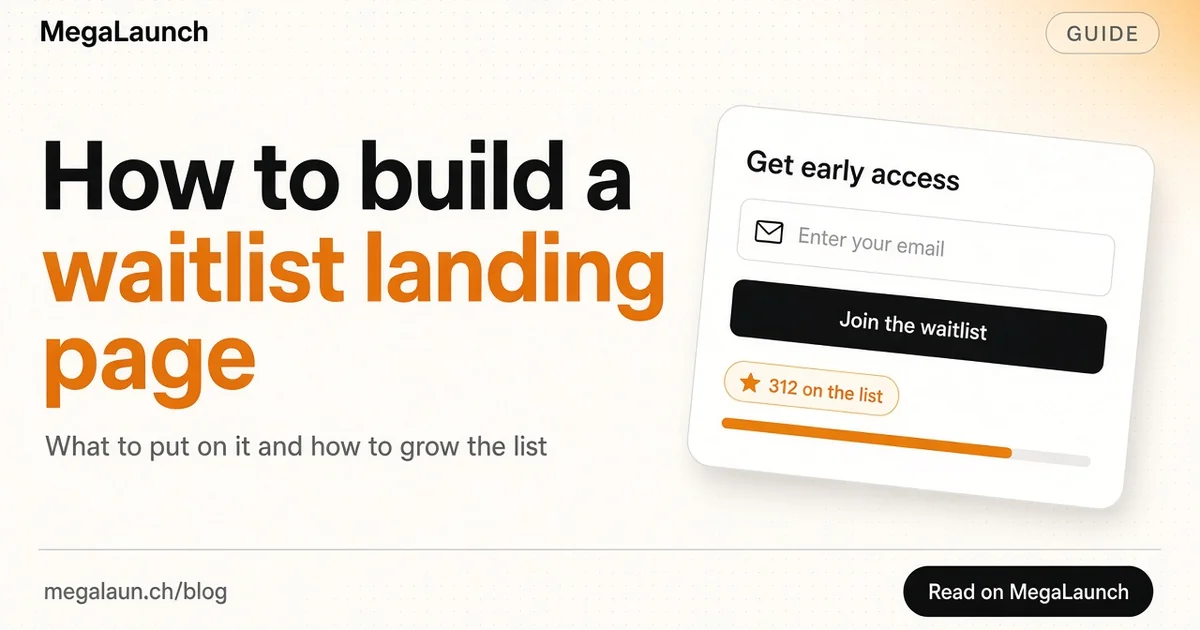
A waitlist landing page collects emails from people who want your product before it exists, or before you open the doors. Done well, it gives you a list of early users on launch day and proof that the problem is real. Done badly, it is a logo and an email field that nobody fills in. This guide covers what to put on a waitlist landing page, how to write it, which tools to use and what to do with the list once you have it.
In this article10
What a waitlist landing page is for
A waitlist page is a landing page with one goal: get the visitor to join the list. It is different from a full marketing site:
- One message. The problem you solve and for whom.
- One action. Join the waitlist.
- One promise. What people get by joining: early access, a launch discount, a say in the roadmap.
It is close to a coming soon page, but a waitlist page puts more weight on the list itself: position in line, referral rewards and regular updates.
What to put on the page
Keep the page short. Most good waitlist pages fit in one or two screens.
1. A headline that names the outcome
Say what the product does for the visitor, not what it is. "Ship your changelog in 2 minutes" is clearer than "The next-generation release platform". If you are stuck, look at tagline examples for structures that work.
2. A subheadline that names the audience
One sentence: who it is for and why now. "For indie makers who ship every week and hate writing release notes."
3. The signup form
Ask for an email address only. Every extra field costs signups. If you really need one more piece of information, such as role or company size, ask it on the thank-you page after the email is saved.
The button is your call to action. Make it specific: "Get early access" or "Join the waitlist" beats "Submit".
4. A visual of the product
A screenshot, a short loop or even a clean mockup. People join faster when they can see something real. A rough but honest preview is better than an abstract illustration.
5. Three benefits
Three short lines, each with a concrete result. Skip feature lists; you will change features before launch anyway.
6. Social proof, if you have it
The number of people already on the list, a quote from a beta tester, or the name of a community where you are building. Social proof works because people follow what others are doing. Do not invent numbers: a small real number is fine.
7. What happens next
Tell people when you expect to launch, how often you will email and what joining gives them. This sets expectations and reduces unsubscribes later.
Writing the copy
A simple structure that works:
| Section | Example |
|---|---|
| Headline | Turn customer calls into a roadmap |
| Subheadline | For SaaS founders who talk to users every week |
| Form | Email + "Get early access" |
| Benefits | Auto-tagged feedback, weekly digest, links to Linear |
| Proof | "312 founders on the list" |
| Next step | "Private beta in January. One email per month." |
Write like you talk to one person. Short sentences, no buzzwords. Read it out loud: if a sentence sounds like an ad, rewrite it.
Adding a referral loop
Many waitlists add referral marketing: after signing up, each person gets a link and moves up the list when friends join. It can multiply signups, but only if the reward matters:
- Earlier access to a product people really want.
- A discount or a longer free period at launch.
- A limited perk, such as a founding member badge.
Keep the rules simple and show the person their position right after they sign up. A referral loop will not fix a weak offer; if nobody shares, improve the headline first.
Email: confirm, then keep in touch
Two rules make the list useful on launch day:
- Confirm the address. A confirmation email, often called double opt-in, keeps fake addresses out and helps with deliverability. It also gives you a clear record of consent, which matters if you have visitors from the EU.
- Send updates. One email per month or at each milestone: what you built, a screenshot, a question. A list that hears nothing for six months forgets you.
Ask one question in your first email, such as "What made you sign up?". The replies are some of the best research you can get before launch.
Tools to build a waitlist page
You do not need a big stack:
- A page builder or a simple static page. Any tool you already know is fine.
- A form connected to your email tool. Most email platforms provide embeddable forms with double opt-in.
- Analytics. At least page views and signups, so you can compute the conversion rate.
- Optional: a dedicated waitlist tool if you want positions and referrals without coding them.
Make sure the page loads fast on mobile. Check the basics of Core Web Vitals: a heavy hero video can cost you more signups than it brings.
Getting traffic to the page
A waitlist page with no visitors stays empty. Common sources:
- Posting progress where your audience already is, which is the idea behind building in public.
- Communities and forums where your users ask for help, with a genuine contribution first.
- Pre-launch directories that list upcoming products.
- A few direct messages to people who described the problem publicly.
The pre-launch marketing guide covers these channels in more detail.
Metrics to watch
- Conversion rate: signups divided by unique visitors. Track it per traffic source.
- Confirmation rate: confirmed emails divided by signups. A low rate often means the confirmation email lands in spam.
- Reply rate on your first email: a good signal of real interest.
- Referral share: how many signups came from referral links, if you use them.
On launch day
Email the list first, before you post anywhere else. Give them the early access you promised, a short guide and a clear ask: try the product, reply with feedback and, if they like it, support your launch. When you list your product on MegaLaunch, your waitlist is the group most likely to visit and leave a comment early.
Frequently asked questions
What should a waitlist landing page include?
A headline that names the outcome, a subheadline that names the audience, an email-only signup form, a product visual, three benefits, real social proof if you have it, and what happens after joining.
What is a good waitlist conversion rate?
It depends heavily on the traffic source. Track signups divided by unique visitors per source and improve the headline and offer first if the rate is low.
Should a waitlist use double opt-in?
Usually yes. A confirmation email keeps fake addresses out, helps deliverability and records consent.
Do referral waitlists work?
They can multiply signups when the reward matters, such as earlier access or a launch discount. They do not fix a weak offer.
Sources
 @matthias_mrc
Put it into practice. Launch your product.
A permanent page, a followed link to your site, and makers who vote for what they like.
- Free with a link back to MegaLaunch
- Premium: $14.99 one-time, no backlink needed
Done for you
We submit your product to 100+ dofollow directories.
From one brief, with a report for every directory. No badge needed on your site.


From$99one-time
See the plans