Pre-launch marketing: a 30-day plan for indie makers
A 30-day pre-launch marketing plan for indie makers: talk to users, publish a waitlist page, grow a small email list, prepare launch platforms and measure it.

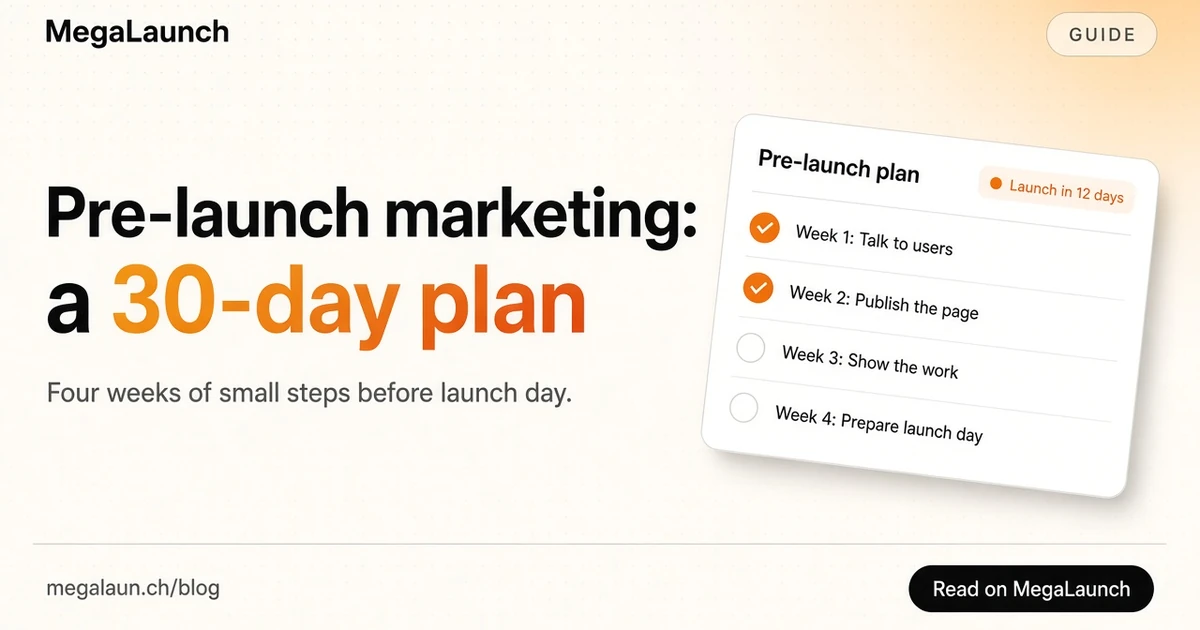
Pre-launch marketing is everything you do before launch day so that the day itself is not a shout into an empty room. For a large company that means agencies and embargoed press. For an indie maker it means something smaller and more useful: a few weeks of conversations, one page, a short email list and a prepared launch.
This guide turns that into a 30-day plan you can follow next to your product work. Each week has a goal, a short list of tasks and a signal that tells you it worked. Sources were checked on October 26, 2026.
In this article9
What pre-launch marketing is (and what it is not)
It is not about making noise. Teasers, countdowns and vague "something big is coming" posts rarely work for a product nobody knows yet. People do not get excited about a mystery from a stranger.
What works is narrower:
- Clarity. Being able to say who the product is for and what it changes, in one sentence.
- A destination. One page where interested people can leave an email.
- A first audience. A few dozen people who know you, understand the problem and want to be told when it is ready.
- Preparation. Launch assets, platforms and messages ready before the day, so you can spend launch day answering people.
Before day 1: write the one sentence
Write one sentence with this shape: "[Product] helps [specific person] [do a job] without [current pain]." Then write the three most common objections you expect. You will rewrite both several times during the month, and that is the point: pre-launch marketing is how you find words that make the right people say "I need this".
Keep the sentence somewhere visible. It will become your page headline, your bio line, the first line of your launch email and your listing tagline. If you struggle to shorten it, the tagline generator gives you variations to react to.
Week 1: talk to the people you are building for
Before promoting anything, talk to 10 to 15 people who have the problem. Not to pitch, but to learn how they describe it, what they use today and what annoys them about it. Y Combinator's guide on how to talk to users is a good script: ask about the last time the problem happened, why it was hard and what they already tried, and avoid hypothetical questions such as "would you use this?".
Where to find these people:
- Your own network and former colleagues who fit the profile.
- Communities where the problem is discussed: subreddits, forums, Slack and Discord groups, comment threads under relevant posts.
- People who publicly complained about a competitor or a workaround.
At the end of each call, ask one question: "Can I email you when it is ready?" Those yes answers are the first names on your list.
Signal it worked: you can predict what the next person will say, and you have new words for your one sentence.
Week 2: publish the page and start the list
Now give everything a destination. A pre-launch landing page needs only a few elements: the headline (your sentence), one line on how it works, an image or short clip of the product, an email field and a clear promise of what people will receive. The guide to a coming soon page covers the content in detail.
Two practical points:
- Confirm sign-ups. With a confirmation step, people must click a link before they are added. Mailchimp's page on double opt-in explains the flow: the person submits the form, receives a confirmation email and clicks a link to verify the address before being added. It adds a little friction, but every address on your list has been checked.
- Publish early for search engines. A page that exists for weeks has a chance to be discovered and indexed before launch. Google's SEO Starter Guide notes that some changes take a few hours to be reflected and others several months, so do not wait for launch day to put the page online.
Then send a short personal email to everyone from week 1 with the link. If you plan a beta, this is also the moment to recruit for it; the guide to finding beta testers lists where to look.
Signal it worked: strangers, not only friends, sign up after reading the page.
Week 3: show the work where your audience already is
This week is about being visible without spamming. Share what you are building in the places you found in week 1: a short demo clip, a screenshot of a hard problem you solved, a question about a design choice. Answer comments generously. Every post links to the page, not to a payment form.
Know the rules of each place before you post. Hacker News is a good example: the Show HN guidelines say that sign-up pages and landing pages are off topic, and that if your work is not ready for people to try, you should come back once it is. So Show HN belongs to launch week, not to pre-launch. Our Show HN guide explains how to post it when the time comes.
Signal it worked: people ask you questions you did not expect, and some of them join the list.
Week 4: prepare launch day
The last week is preparation, so launch day is only execution:
- Choose the platforms and the date. Product Hunt's own launch guide covers how launches work there and how to prepare. Our guide to launching on Product Hunt adds a timeline, and the launch time planner helps you pick the hour.
- Write the assets once. Tagline, short and long description, five screenshots, a demo video, a first comment and an announcement post.
- Write the emails. One reminder the day before, one launch email, one follow-up. The product launch email templates give you a sequence to adapt.
- Run the checklist. The launch checklist catches the things that break on the day: sign-up, payment, analytics, social preview images.
Signal it worked: you could launch tomorrow without writing anything new.
Measure every channel
During the month, tag every link you share with UTM parameters, so your analytics show which community, post or email brought each sign-up. Google Analytics documents how URL builders collect campaign data with utm_source, utm_medium and utm_campaign. Our free UTM builder creates the links in a few seconds.
Keep a simple table: channel, link, visits, sign-ups, replies. After launch, it tells you which channels deserve your time and which ones only felt productive.
Common pre-launch marketing mistakes
- Building in silence until the end. If week 1 happens after the product is finished, you lose the chance to change it.
- Collecting emails and never writing. Send at least one short update before launch day, or people forget why they signed up.
- Spreading too thin. Two communities where you are genuinely active beat ten where you dropped a link.
- Counting followers instead of replies. Replies and questions predict launch-day support far better than follower counts.
Thirty days of this will not guarantee a big launch, but you will launch to people who already understand why the product exists.
Frequently asked questions
When should pre-launch marketing start?
Ideally four to eight weeks before launch day, and as soon as you can describe the problem you solve in one sentence. Starting earlier is fine if you have something to show; starting later leaves too little time to build a list and fix your message.
Do I need a waitlist page before launch?
It helps. A simple page with a one-sentence promise and an email field gives every conversation, post and link a destination, and it lets you notify interested people on launch day instead of hoping they come back.
How many sign-ups do I need before launching?
There is no universal number. What matters more is whether the people on the list match your target user and whether they reply to your emails. A few dozen engaged people who answer you are worth more than a large list that never opens anything.
Is pre-launch marketing worth it for a side project?
Yes, in a lighter form. Even one week of conversations and a basic page with an email form will give you a first audience for launch day and better wording for your listing.
Sources
Free tools mentioned in this article
- Tagline GeneratorTagline ideas from your product, audience and benefit, with live counters for X, Product Hunt and the App Store.
- Launch Time PlannerSee when the Product Hunt or MegaLaunch launch day starts in your time zone, across five zones, with a countdown.
- UTM BuilderAdd UTM parameters to any link, one at a time or one per directory in bulk, with a clean lowercase convention.
 @matthias_mrc
Put it into practice. Launch your product.
A permanent page, a followed link to your site, and makers who vote for what they like.
- Free with a link back to MegaLaunch
- Premium: $4.99 excl. VAT, one-time, no backlink needed
Done for you
We submit your product to 100+ dofollow directories.
By hand, with a report for every directory. No badge needed on your site.


From$99excl. VAT, one-time
See the plans