Product launch email: 4 templates for your launch sequence
Product launch email templates for indie makers: a teaser, a launch day email, a reminder and a follow-up, plus subject lines and the rules that avoid spam.

The people who signed up before your launch are the warmest audience you will ever have. They already said "tell me when it is ready". A product launch email is how you keep that promise, and for a small product it often brings the first sign-ups of launch day before any platform or community does.
This guide gives you four short templates that form a launch sequence, a set of subject lines, and the sending rules that keep the emails out of spam. Sources were checked on October 26, 2026.
In this article9
The launch sequence at a glance
| When | Goal | |
|---|---|---|
| 1. Heads-up | 2 to 4 days before | Set the date, ask for nothing yet |
| 2. Launch day | When the product is live | One clear action: try it |
| 3. Reminder | 1 or 2 days later, to non-openers only | Catch busy people |
| 4. Follow-up | About a week later | Share what happened, ask for feedback |
You can skip the reminder if your list is small and personal. Do not skip the launch day email or the follow-up.
If you do not have a list yet, start with the pre-launch marketing plan and a simple coming soon page that collects emails.
Template 1: the heads-up
Subject: [Product] launches on Tuesday
Hi [first name],
You signed up to hear about [Product], the [one-sentence description]. It goes live on Tuesday, [date].
Since you joined, we [one concrete change you made because of early feedback].
I will send you the link on the day. If you have a question before then, just reply: I read everything.
[Your name]
Why it works: it is short, it reminds people why they signed up, and it shows progress. Telling them that replies are read also makes your launch email more likely to be expected.
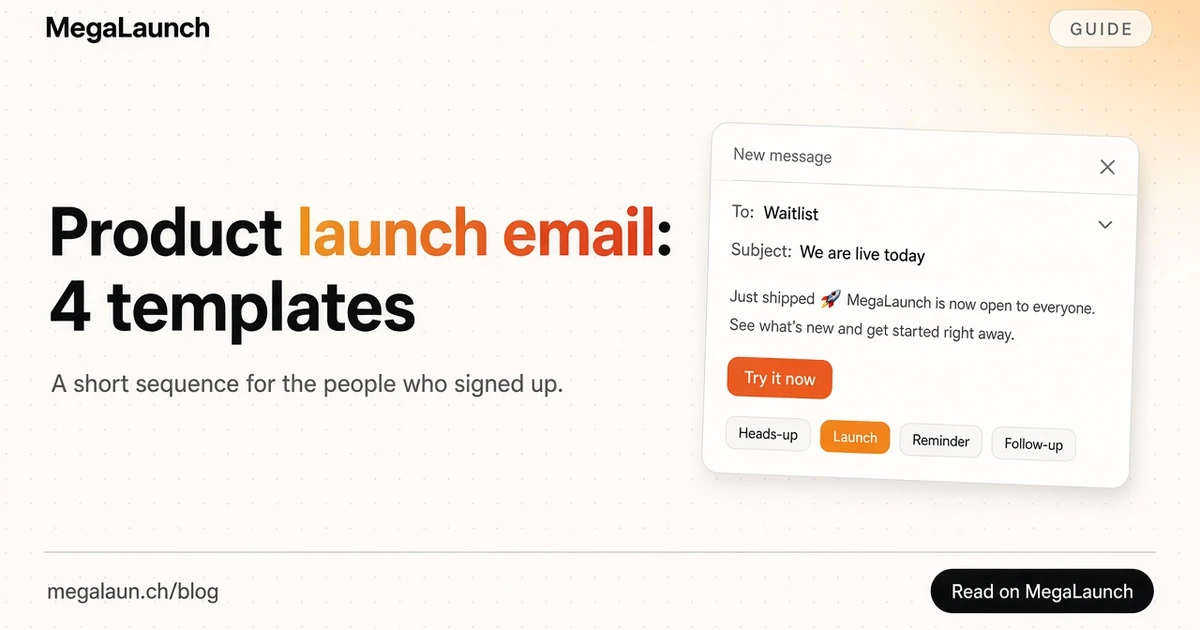
Template 2: the launch day email
Subject: [Product] is live: [what it does in 5 words]
Hi [first name],
[Product] is live today. It helps [specific person] [do the job] without [the pain].
Here is what you can do right now:
- [Benefit 1, concrete]
- [Benefit 2, concrete]
- [Benefit 3, concrete]
[Try Product] (one link, one button)
As one of the first people on the list, you get [early access offer, if any, with its real end date].
We are also launching on [platform] today. If you like it, a comment there helps more than you think.
Thank you for following along, [Your name]
Keep one main link. If you mention a launch platform, put it after the product link, and ask for honest comments rather than votes: several launch platforms discourage vote requests. Reuse the wording from your public launch announcement so the message is consistent everywhere.
Template 3: the reminder (non-openers only)
Subject: In case you missed it: [Product] is live
Hi [first name],
Quick one: [Product] went live on [day]. [One sentence on what it does].
[Try Product]
That is all. Next time I write, it will be with what we learned from launch week.
Send it only to people who did not open the launch email, and send it once. Open tracking is imprecise, so phrase it in a way that is harmless if someone did read the first email.
Template 4: the follow-up
Subject: What happened during launch week
Hi [first name],
[Product] has been live for a week. A few things we learned:
- [Something users loved]
- [Something that broke, and how you fixed it]
- [What you are building next, because of feedback]
If you tried it, I would love one sentence from you: what almost stopped you from signing up?
[Your name]
This email turns your list into a feedback channel. The replies often give you better copy for your homepage and listing than anything you wrote before launch.
Subject lines and preview text
Your subject line, sender name and preview text decide whether the email is opened. Litmus's guide to preview text explains that most email clients show this short line next to or below the subject, so write it on purpose instead of letting the client show "View in browser".
Subject lines that fit a launch:
- [Product] is live
- [Product] is live: [what it does]
- Today: [Product] for [audience]
- You asked to know when [Product] launched
- What we learned launching [Product]
Avoid fake "Re:" or "Fwd:" prefixes and false urgency. The FTC's CAN-SPAM compliance guide says the subject line must accurately reflect the content, and Gmail's sender guidelines also warn against subject lines starting with "Re:" or "Fwd:" when the message is not a reply or forward.
Sending rules that keep you out of spam
A launch email sent from a fresh domain to a list that never confirmed is the classic way to land in spam on the day it matters most. Check these before sending:
- Authenticate your domain. Gmail's email sender guidelines require SPF or DKIM for all senders, and SPF, DKIM and DMARC for senders of more than 5,000 messages a day to Gmail accounts. Yahoo's sender best practices set similar requirements. Your email provider documents how to set these up.
- Make unsubscribing one click. Bulk senders must support one-click unsubscribe through the List-Unsubscribe headers defined in RFC 8058, plus a visible link in the body. Most email tools add both for you.
- Include the legal basics. Under CAN-SPAM, commercial emails need a valid postal address and a clear way to opt out, and opt-outs must be honored within 10 business days.
- Send only to people who asked. In the UK, the ICO's guidance on electronic mail marketing explains that marketing emails to individuals generally need specific consent, with a limited "soft opt-in" exception for your own previous customers.
- Send a test. Check links, the button on mobile and how the preview text looks in at least two inboxes.
Fit the emails into launch day
The email is one piece of the launch. Send it once the product and the listings are live, when you are available to reply for the next few hours. The launch time planner helps you pick an hour that suits your audience's time zones, and the launch checklist lists everything else to verify on the day.
Frequently asked questions
How many emails should a product launch sequence have?
For a small product, three or four is enough. A heads-up a few days before, the launch day email, an optional reminder to people who did not open it, and a follow-up a few days after. More than that risks unsubscribes from people who are interested but busy.
What is a good subject line for a product launch email?
A short, literal one that says what is new, such as the product name followed by what it does. Subject lines must reflect the content of the message, so avoid fake urgency, fake replies and vague teasers.
Can I send my launch email to people who never signed up?
Avoid it. Gmail and Yahoo ask senders to email only people who opted in, and in the UK and EU, marketing emails to individuals generally require consent. Cold outreach to a few relevant people is a different, one-to-one activity with its own rules.
When should I send the launch email?
Shortly after the product is live on the day you launch, so the links work and you are available to reply. If you launch on a platform with a daily ranking, sending early in that platform's day gives your list time to visit.
Sources
Free tools mentioned in this article
All free tools @matthias_mrc
Put it into practice. Launch your product.
A permanent page, a followed link to your site, and makers who vote for what they like.
- Free with a link back to MegaLaunch
- Premium: $4.99 excl. VAT, one-time, no backlink needed
Done for you
We submit your product to 100+ dofollow directories.
By hand, with a report for every directory. No badge needed on your site.


From$99excl. VAT, one-time
See the plans