Open source alternatives: 6 tools to replace your SaaS subscriptions
Open source alternatives for indie makers and SaaS teams: Plausible, Cal.com, Mattermost, Nextcloud, listmonk and n8n compared, with when to self-host, how to switch and the license traps to avoid.

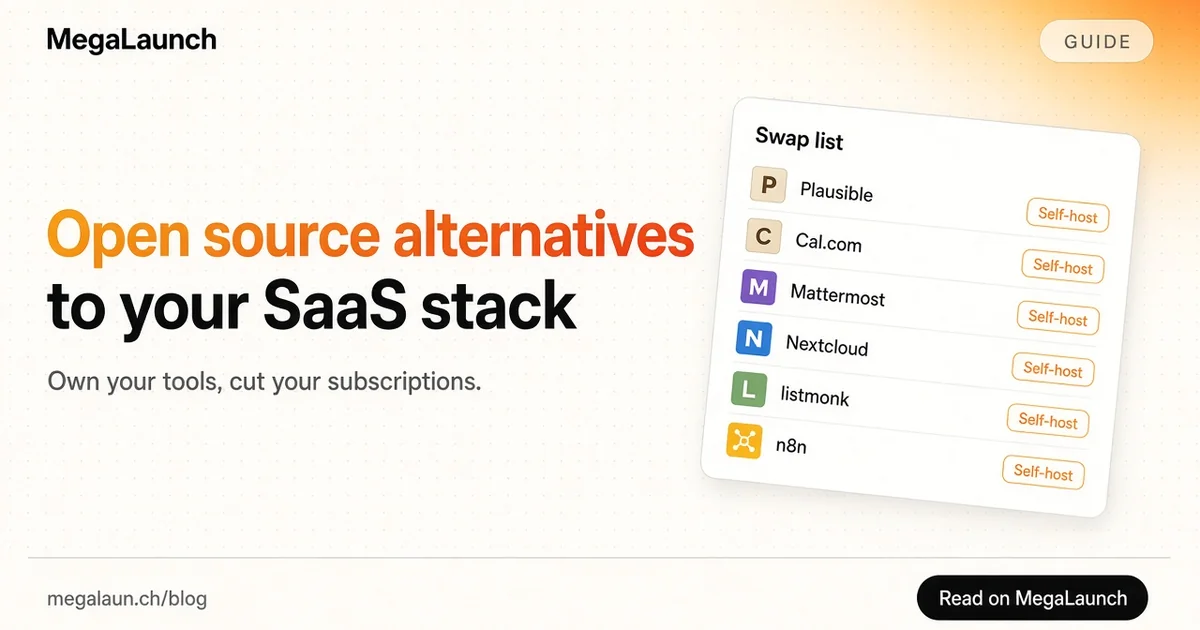
Every new SaaS subscription looks cheap on its own. Then the analytics tool, the scheduling link, the team chat, the file storage, the newsletter platform and the automation tool all renew in the same month, and a bootstrapped project is paying for tools before it has paying users. Open source alternatives can cut that bill, give you ownership of your data and remove the risk of a vendor changing its pricing overnight. This guide covers six proven open source alternatives for indie makers and small SaaS teams, what each one replaces, and how to decide between self-hosting and the paid cloud version.
In this article7
What "open source alternative" really means
An open source alternative is software whose source code is published under a license that lets you read, run and usually modify it. For a founder, that brings three practical benefits:
- No lock-in. If the company behind the tool disappears or raises prices, the code and your data stay usable.
- Self-hosting. You can run the tool on your own server, which helps with privacy rules and keeps costs flat as your team grows.
- Transparency. You can check how your data is handled instead of trusting a marketing page.
Two caveats matter. First, "open source" is not always "free": many projects sell a hosted cloud plan, and some features may sit in a paid edition. Second, some popular tools use "fair-code" or source-available licenses that restrict commercial resale. Read the license before you build a business on top of a tool.
Six open source alternatives worth knowing
1. Plausible: an alternative to Google Analytics
Plausible is a lightweight, privacy-friendly web analytics tool. The script is small, it does not use cookies, and the dashboard fits on one screen: visitors, sources, top pages, countries and goals. For a launch, that is usually all you need to see which channel brought traffic. You can pay for the hosted version or run the self-hosted Community Edition.
Replaces: Google Analytics for most small sites. Watch out for: fewer advanced reports than enterprise analytics suites.
2. Cal.com: an alternative to Calendly
Cal.com is open source scheduling infrastructure. You get booking links, round-robin team scheduling, buffers between meetings, and integrations with calendars and video tools. Founders use it for demo calls, user interviews and onboarding sessions. Because it is open source, developers can also embed or extend it inside their own product.
Replaces: Calendly and similar booking tools. Good to know: the hosted plan is the quickest way to start; self-hosting makes sense when you need full control.
3. Mattermost: an alternative to Slack
Mattermost is a team messaging platform with channels, threads, file sharing and integrations. It is popular with teams that must keep conversations on their own infrastructure, such as companies with strict security or compliance needs. For a small startup, it is a way to keep chat history without per-seat pricing surprises.
Replaces: Slack or Microsoft Teams chat. Watch out for: you lose the large public Slack communities, so you may still keep a Slack account for networking.
4. Nextcloud: an alternative to Google Drive and Dropbox
Nextcloud is a self-hosted content collaboration platform. The core is file sync and sharing, and apps add calendars, contacts, video calls and online document editing. It is a good fit for founders who handle client files or sensitive documents and want them on servers they choose.
Replaces: Google Drive, Dropbox and parts of Google Workspace. Watch out for: a full Nextcloud server needs regular updates and backups, so budget a little admin time.
5. listmonk: an alternative to Mailchimp
listmonk is a self-hosted newsletter and mailing list manager. It runs as a single binary with a PostgreSQL database, handles large lists, and lets you send campaigns and transactional messages through the email provider or SMTP service of your choice. For a launch list or a product newsletter, it can be far cheaper than paying per subscriber.
Replaces: Mailchimp, ConvertKit and similar newsletter tools. Watch out for: deliverability is your job. You still need a reputable sending provider, a warmed-up domain and proper SPF, DKIM and DMARC records.
6. n8n: an alternative to Zapier
n8n is a workflow automation tool with a visual editor and hundreds of integrations. You can connect your signup form to your CRM, post new customers to your team chat, or enrich leads with an API call, and you can drop into code when a no-code node is not enough. Note that n8n uses a fair-code license: you can self-host it and see the code, but its license limits some commercial uses, so check it if you plan to resell automations.
Replaces: Zapier and Make. Good to know: self-hosting removes per-task pricing, which matters once automations run thousands of times a month.
Self-host or use the cloud version?
Self-hosting is not free. You pay with a server, your time and your responsibility for security. Use this simple rule:
| Situation | Best choice |
|---|---|
| Solo maker, no ops experience | Hosted cloud plan of the open source tool |
| You already run servers or containers | Self-host the tools you use daily |
| Strict data rules or client requirements | Self-host, with backups and monitoring |
| Tool is critical to revenue (email, payments) | Managed service, or self-host only with a tested backup plan |
A good middle ground is to start on the hosted plan and keep the option to move to self-hosting later. That is the real advantage of open source: the exit door stays open.
How to switch without breaking your workflow
- List your subscriptions. Write down every tool, its monthly cost and how often you really use it.
- Start with the cheapest win. Analytics and scheduling are easy to swap and low risk.
- Run tools side by side. Keep the old tool for two weeks while you check the new one gives the same results.
- Export your data first. Make sure contacts, files and history come with you before you cancel anything.
- Automate updates and backups. If you self-host, set up automatic backups on day one and test a restore.
- Document the setup. A short README with the server, the domain and the login owner saves hours later.
Common mistakes to avoid
- Self-hosting everything at once. You become a full-time sysadmin instead of building your product.
- Ignoring licenses. Open source, fair-code and source-available licenses have different rules for commercial use.
- Skipping security updates. An outdated self-hosted app is a real risk. Subscribe to each project's release notes.
- Choosing on price only. A free tool your team avoids costs more than a paid one they use.
If you are reviewing your infrastructure too, our guides to Supabase alternatives and Stripe alternatives cover the backend and payments side.
Summary
Open source alternatives let indie makers own their data and keep costs flat as they grow. Plausible replaces Google Analytics, Cal.com replaces Calendly, Mattermost replaces Slack, Nextcloud replaces Google Drive, listmonk replaces Mailchimp and n8n replaces Zapier. Start with the hosted plans if you have no ops experience, move to self-hosting where it pays off, and always check the license. Once your stack is lean and your product is ready, launch it on MegaLaunch.
Frequently asked questions
What are the best open source alternatives to popular SaaS tools?
Common picks are Plausible for analytics, Cal.com for scheduling, Mattermost for team chat, Nextcloud for files, listmonk for newsletters and n8n for workflow automation.
Are open source alternatives free?
The code is usually free to run, but self-hosting costs a server and your time, and many projects sell a paid hosted plan or extra features.
Should a solo founder self-host?
Only for tools you understand and can back up. Without ops experience, start with the hosted version of the open source tool and keep the option to self-host later.
Is n8n open source?
n8n is fair-code: the source is available and you can self-host it, but its Sustainable Use License restricts some commercial uses, so check it before reselling automations.
Sources
 @matthias_mrc
Put it into practice. Launch your product.
A permanent page, a followed link to your site, and makers who vote for what they like.
- Free with a link back to MegaLaunch
- Premium: $14.99 one-time, no backlink needed
Done for you
We submit your product to 100+ dofollow directories.
From one brief, with a report for every directory. No badge needed on your site.


From$99one-time
See the plans