Supabase alternatives: 6 backends for indie makers compared
Supabase alternatives for SaaS and app builders: Firebase, Appwrite, PocketBase, Neon, Convex and Nhost compared by database, open source and self-hosting, with a quick decision guide.

Supabase gives indie makers a Postgres database, auth, storage, edge functions and realtime in one dashboard, which is why so many new SaaS products start on it. But one backend does not fit every project. You may want a fully managed NoSQL store, a backend you can self-host on a $5 server, or a database that scales to zero between requests. This guide compares the main Supabase alternatives and explains which one fits which kind of product.
In this article7
What Supabase does well, and when founders look elsewhere
Supabase is built around Postgres. You get real SQL, row level security, a generated API and a clean dashboard. For most SaaS apps that is a strong default.
Founders usually look for an alternative for one of these reasons:
- Data model. Some apps fit documents or realtime sync better than tables and joins.
- Hosting control. Some teams must keep data on their own servers or in a specific region.
- Cost shape. Hobby projects that sit idle most of the month may prefer a service that scales to zero.
- Developer experience. Some teams prefer writing backend logic in TypeScript functions over SQL policies.
Be honest about which of these is your real problem. Switching backends is expensive once you have users.
The main Supabase alternatives
1. Firebase
Firebase is Google's backend platform and the most common comparison. It offers Firestore, a NoSQL document database, plus authentication, hosting, cloud functions, analytics and push notifications. Its mobile SDKs and offline sync are mature, which makes it popular for iOS and Android apps.
Pick it if you are building a mobile-first app, need offline support, and your data fits documents and collections better than relational tables.
Watch out for queries that need joins or complex filters, and for costs tied to document reads at scale.
2. Appwrite
Appwrite is an open source backend with databases, auth, storage, functions, messaging and realtime. You can use the managed cloud or self-host it with Docker. Its feature list is close to Supabase, but you work with its database through its own API and SDKs rather than raw SQL.
Pick it if you want an all-in-one backend that you can move to your own server later without changing your app code much.
3. PocketBase
PocketBase is an open source backend that ships as a single executable, with an embedded SQLite database, auth, file storage, realtime subscriptions and an admin dashboard. You can run it on a small VPS in minutes.
Pick it if you are building an MVP, an internal tool or a side project and want the lowest possible cost and setup time.
Watch out for scaling limits. It runs on one server, so plan a migration path if the product takes off.
4. Neon
Neon is serverless Postgres. It separates storage and compute, scales to zero when idle and lets you create database branches, like Git branches, for previews and tests. It is a database, not a full backend, so you bring your own auth and storage.
Pick it if you like Postgres but want branching, scale to zero, and freedom to choose your auth provider and API layer.
5. Convex
Convex is a reactive backend where queries and mutations are TypeScript functions. Data changes push to the client automatically, so realtime features like collaborative lists or live dashboards need very little code.
Pick it if your team lives in TypeScript and your product depends on live, collaborative data.
6. Nhost
Nhost is the closest in spirit to Supabase: Postgres, authentication, storage and functions, but with a GraphQL API powered by Hasura. It is open source and can also be self-hosted.
Pick it if you want Postgres and prefer GraphQL over REST for your frontend.
Quick comparison
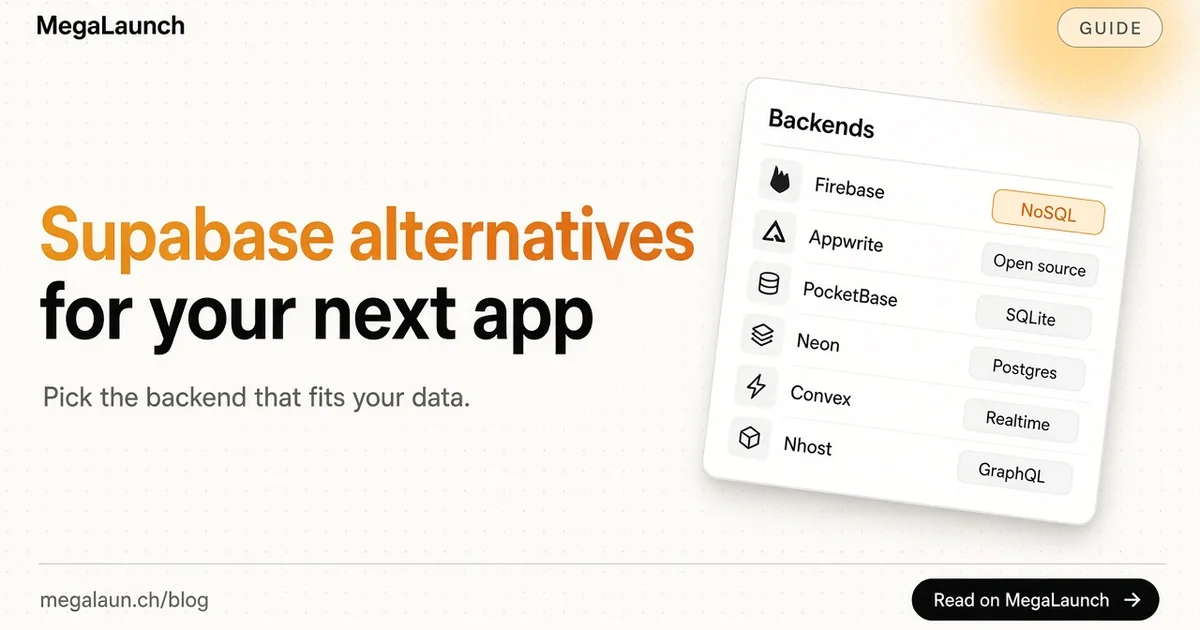
| Tool | Database | Open source | Self-host | Best for |
|---|---|---|---|---|
| Firebase | NoSQL documents | No | No | Mobile apps with offline sync |
| Appwrite | Managed via API | Yes | Yes | All-in-one, portable backend |
| PocketBase | SQLite | Yes | Yes | MVPs and side projects |
| Neon | Serverless Postgres | Yes | Partly | Postgres with branching |
| Convex | Reactive document store | Yes | Yes | Realtime TypeScript apps |
| Nhost | Postgres + GraphQL | Yes | Yes | GraphQL-first teams |
How to choose in 15 minutes
- Write down your three most important queries. If they need joins and aggregates, stay with Postgres: Supabase, Neon or Nhost.
- List the features you need on day one. Auth, file uploads, realtime, email, cron. An all-in-one backend saves weeks if you need most of them.
- Decide where the data must live. If you need your own servers, shortlist Appwrite, PocketBase or self-hosted Supabase.
- Estimate your usage at 1,000 users. Read each pricing page with real numbers: requests, storage, bandwidth and database size.
- Build one feature as a test. Sign up, create a record and read it back from your frontend. One afternoon tells you more than ten comparison articles.
Mistakes to avoid
- Switching for a small annoyance. Migrating auth means migrating users and passwords. Only do it for a real constraint.
- Ignoring backups and exports. Check how you get your data out before you put it in.
- Mixing too many services early. A separate database, auth, storage and queue provider means four bills and four outages to watch. Keep the stack small until you have revenue.
- Over-engineering for scale. Your first goal is users, not millions of rows. Pick something your team can ship with this week.
If you are still testing whether the product is worth building, start with micro SaaS ideas and a simple prototype, then share your progress through build in public to find your first users.
Summary
Supabase is a strong default for SaaS products that want Postgres and a full backend in one place. Firebase fits mobile apps with offline sync, Appwrite and PocketBase suit teams who want open source and self-hosting, Neon gives you serverless Postgres with branching, Convex shines for realtime TypeScript apps and Nhost pairs Postgres with GraphQL. Choose based on your data model and hosting needs, test one real feature, and focus on shipping. When your app is live, follow our guide on how to launch an app and list it on MegaLaunch.
Frequently asked questions
What is the best alternative to Supabase?
It depends on your data and hosting needs. Firebase for mobile apps with offline sync, Neon or Nhost if you want Postgres, PocketBase for small self-hosted projects, Appwrite for an open source all-in-one backend and Convex for realtime TypeScript apps.
Is Firebase better than Supabase?
Neither is better in general. Firebase uses a NoSQL document database with mature mobile SDKs, while Supabase uses Postgres with SQL and row level security. Choose based on your data model.
Can I self-host a Supabase alternative?
Yes. Appwrite, PocketBase and Nhost can all be self-hosted, and Supabase itself can be self-hosted too.
Should I switch backends after launch?
Only for a real constraint such as cost, data location or a missing feature. Migrating auth and user data is costly, so test the new backend on one feature first.
Sources
 @matthias_mrc
Put it into practice. Launch your product.
A permanent page, a followed link to your site, and makers who vote for what they like.
- Free with a link back to MegaLaunch
- Premium: $14.99 one-time, no backlink needed
Done for you
We submit your product to 100+ dofollow directories.
From one brief, with a report for every directory. No badge needed on your site.


From$99one-time
See the plans