Canva alternatives: 6 design tools for launch visuals
Canva alternatives for indie makers and SaaS founders: Figma, Penpot, Kittl, Photopea, Shots.so and Visme compared for logos, mockups, Open Graph images and decks, with a simple launch visual workflow.

Canva made design accessible to everyone, and most founders have used it for a logo, a launch graphic or a pitch deck. It is fast and the template library is huge. But it is not always the best tool for the job. Product screenshots look generic in templates, brand assets drift when everyone edits freely, and some makers want open source or a desktop editor that works with PSD files. This guide compares the best Canva alternatives for indie makers and SaaS founders, with a focus on the visuals you actually need for a launch.
In this article9
What founders design before a launch
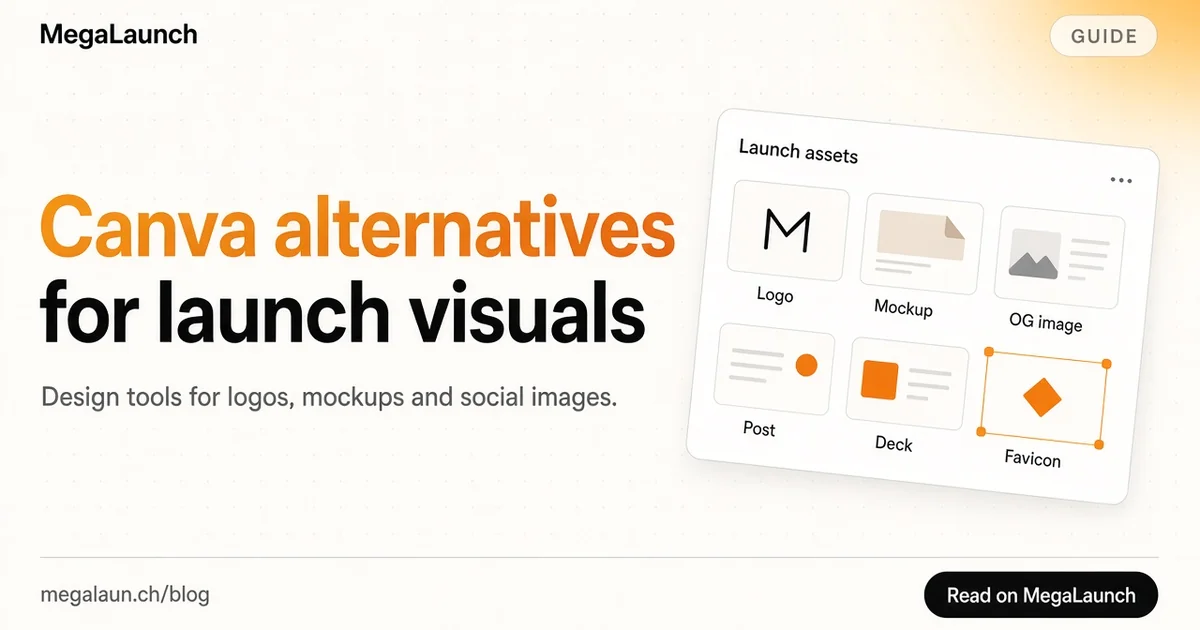
Before comparing tools, list the assets. A typical launch needs:
- A logo and favicon.
- Product screenshots and device mockups.
- A cover image and social preview (Open Graph) image, usually 1200 x 630 pixels.
- Social posts for X, LinkedIn and your newsletter.
- A short deck or one-pager for partners and press.
- Visuals for your coming soon page and landing page.
Different tools shine on different assets. You do not need to replace Canva everywhere, only where it slows you down.
Why makers look for Canva alternatives
- Generic look. Popular templates are recognizable. Your launch visuals blend in instead of standing out.
- Product design work. Canva is not built to design app screens or reusable UI components.
- File formats. Opening or editing layered PSD files, or exporting clean SVG, is limited.
- Open source and self-hosting. Some teams want design files on their own servers.
- Better mockups. Turning a raw screenshot into a polished device shot is faster with a specialized tool.
The best Canva alternatives compared
1. Figma: for product teams
Figma is the standard for designing interfaces, and it works well for marketing graphics too. Components and styles keep every social image on brand, and you can design your landing page, app screens and launch visuals in one file. Collaboration is real-time in the browser.
Best for: SaaS teams that already design their product in Figma. Trade-off: steeper learning curve than Canva for non-designers.
2. Penpot: the open source design tool
Penpot is an open source design and prototyping platform that runs in the browser and can be self-hosted. It uses open web standards like SVG and CSS concepts, which makes handoff to developers smooth.
Best for: teams that want Figma-style design without vendor lock-in.
3. Kittl: for typography-heavy graphics
Kittl focuses on bold graphic design: logos, posters, merch and social graphics with strong typography effects and templates that look less generic than the usual. It also includes AI image tools.
Best for: makers who want striking launch graphics and logo ideas quickly.
4. Photopea: free Photoshop in the browser
Photopea is a free, browser-based image editor that opens PSD, XCF, Sketch and many other formats. It has layers, masks, filters and most Photoshop basics, with no install needed. The free version shows ads.
Best for: editing photos and layered files without paying for desktop software.
5. Shots.so: device mockups in seconds
Shots.so turns a plain screenshot into a clean mockup with device frames, backgrounds, shadows and layouts. For launch posts and directory listings, a good mockup often does more than a fancy template.
Best for: product screenshots for listings, social posts and press kits.
6. Visme: decks, reports and infographics
Visme is built for presentations, infographics, reports and data visuals, with charts and interactive elements. It is a good fit for investor updates, case studies and the slides behind your pitch deck template.
Best for: founders who present data and need structured documents.
Quick comparison
| Tool | Best for | Free option | Open source | Learning curve |
|---|---|---|---|---|
| Figma | UI and on-brand graphics | Yes | No | Medium |
| Penpot | Self-hosted design | Yes | Yes | Medium |
| Kittl | Logos and bold graphics | Yes | No | Low |
| Photopea | Photo and PSD editing | Yes, with ads | No | Medium |
| Shots.so | Screenshot mockups | Yes | No | Very low |
| Visme | Decks and infographics | Yes | No | Low |
Free plans and limits change often, so check each pricing page before you commit.
How to choose
- Match the tool to the asset. Mockups in Shots.so, UI in Figma or Penpot, photos in Photopea, decks in Visme, quick social posts in Canva or Kittl.
- Think about who edits. If non-designers on your team update graphics weekly, simplicity beats power.
- Protect your brand. Set up one source of truth for colors, fonts and logo files. Shared libraries in Figma or Penpot help.
- Check exports. You need PNG and WebP for the web, SVG for logos and PDF for decks. Test before your launch day.
- Keep it cheap. Most solo makers can do everything on free plans. Pay only when a limit blocks real work.
A simple launch visual workflow
- Write your headline and tagline first. Design comes after the message.
- Take clean screenshots of your product at a large window size, with real but safe demo data.
- Turn the best two or three into mockups.
- Build one master layout at 1200 x 630 pixels for your Open Graph image and cover, then adapt it to square and vertical formats.
- Reuse the same colors and font on your landing page so visitors recognize you instantly. These SaaS landing page examples show how consistent visuals build trust.
- Export in WebP where possible to keep pages fast.
Mistakes to avoid
- Too much text on images. Social feeds show images small. One headline and a product visual is enough.
- Using a template unchanged. Change layout, fonts and colors so your visuals are clearly yours.
- Fake screenshots. Show the real product. Users and directory moderators notice when visuals overpromise.
- Ignoring the preview. Check how your link looks when shared, because a broken Open Graph image hurts clicks.
- Switching tools the week of launch. Learn the new tool on a small asset first.
Summary
Canva is still great for quick social posts. Figma and Penpot are better for product teams and on-brand systems, Kittl for bold graphics, Photopea for free photo and PSD editing, Shots.so for product mockups and Visme for decks and infographics. Use the right tool for each asset, keep your brand consistent, and spend the time you save on the launch itself. When your visuals are ready, submit your product to MegaLaunch.
Frequently asked questions
What is the best free alternative to Canva?
For most makers, Figma and Penpot cover on-brand graphics on free plans, Photopea edits photos and PSD files for free in the browser, and Shots.so creates product mockups quickly.
Is there an open source Canva alternative?
Penpot is an open source design and prototyping tool that runs in the browser and can be self-hosted.
Is Figma better than Canva?
For product teams, usually yes, because components and styles keep UI and marketing graphics consistent. For non-designers making quick social posts, Canva is often faster.
What size should a launch cover or Open Graph image be?
1200 x 630 pixels is the common size for Open Graph and blog covers. Build one master layout at that size and adapt it to square and vertical formats.
Sources
 @matthias_mrc
Put it into practice. Launch your product.
A permanent page, a followed link to your site, and makers who vote for what they like.
- Free with a link back to MegaLaunch
- Premium: $14.99 one-time, no backlink needed
Done for you
We submit your product to 100+ dofollow directories.
From one brief, with a report for every directory. No badge needed on your site.


From$99one-time
See the plans