ChatGPT alternatives for founders: 6 AI assistants compared
ChatGPT alternatives for indie makers and SaaS founders: Claude, Gemini, Microsoft Copilot, Mistral Le Chat, DeepSeek and Ollama compared by strengths, privacy and open weights, with practical uses for a launch.

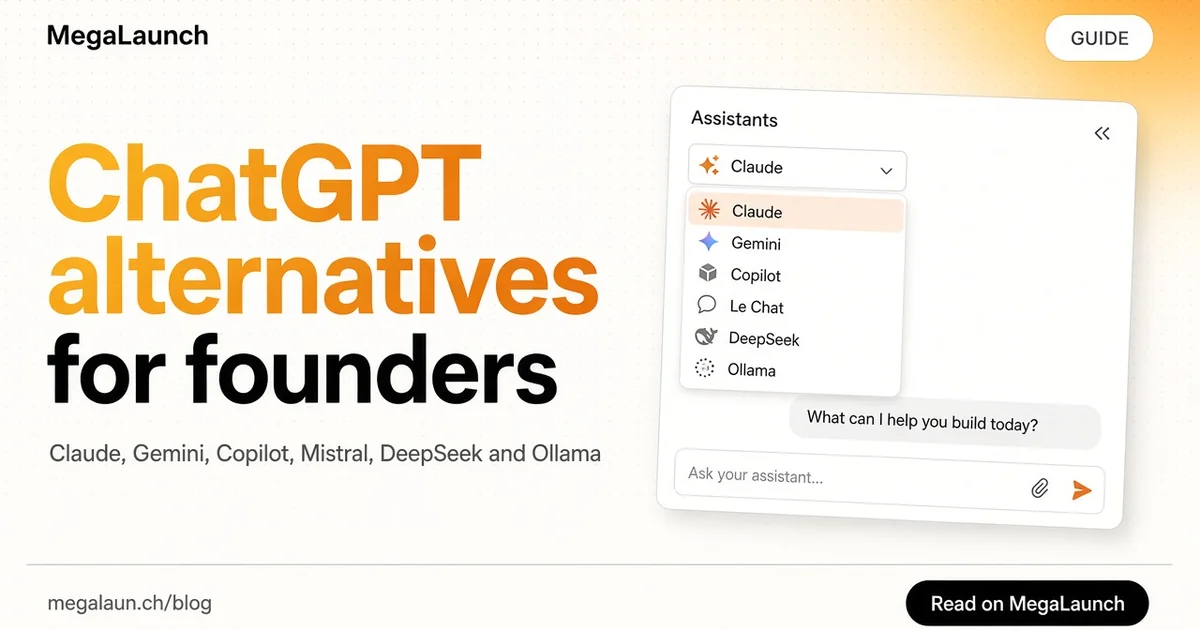
ChatGPT is the default AI assistant for most founders. It drafts emails, explains code, summarizes research and brainstorms names. But it is not the only strong option, and it is not always the best one for each task. Some assistants write better long-form text, some are better connected to the tools you already use, and some can run on your own laptop so your data never leaves it. This guide compares the best ChatGPT alternatives for indie makers and SaaS founders, and shows how to pick based on the work you actually do.
In this article8
Why founders try ChatGPT alternatives
- Different strengths. Models differ in writing style, coding, reasoning and how well they follow long instructions. A second opinion often catches mistakes.
- Ecosystem fit. If your team lives in Google Workspace or Microsoft 365, an assistant built into those tools saves copy and paste.
- Privacy and data location. Some founders cannot send customer data to a US cloud, or want to run models locally.
- Cost. Paid plans add up when every teammate needs one. Free tiers and open models can cover a lot.
- Open weights. Builders who want to ship AI features in their own product need models they can host and fine-tune.
The best ChatGPT alternatives compared
1. Claude: long documents and careful writing
Claude, by Anthropic, is popular with founders for writing, editing and coding. It handles long inputs well, so you can paste a full spec, a contract or a long customer interview and ask precise questions. Projects let you keep reference files and instructions for recurring work.
Best for: long-form writing, editing landing page copy, code reviews and working with large documents.
2. Gemini: if you live in Google's tools
Gemini is Google's assistant. Its main advantage is integration with Gmail, Docs, Drive and other Google services, so it can work with files you already have. It is also strong at multimodal tasks such as reading images and screenshots.
Best for: founders whose company runs on Google Workspace.
3. Microsoft Copilot: for Microsoft 365 teams
Microsoft Copilot is available on the web, in Windows and in Edge, and Microsoft 365 plans connect it to Word, Excel, PowerPoint and Outlook. If your investors and enterprise customers send you Office files, it fits naturally.
Best for: teams selling to enterprises or working mostly in Office documents.
4. Mistral Le Chat: a European option
Mistral AI is a French AI company that offers Le Chat, its assistant, and also publishes open-weight models you can host yourself. For European founders who care about where their provider is based, it is a natural candidate.
Best for: EU-based teams and builders who want both an assistant and models for their own product.
5. DeepSeek: open-weight reasoning models
DeepSeek offers a chat assistant and releases open-weight models, including reasoning models that do well on math and code. Its API pricing has made it popular with developers building AI features. Read its privacy policy carefully before sharing sensitive data, since the company is based in China.
Best for: developers experimenting with open-weight models and low-cost APIs.
6. Ollama: run models on your own machine
Ollama is not a hosted assistant but a free tool that runs open models such as Llama, Mistral, Gemma or DeepSeek on your own computer. Nothing leaves your machine, it works offline and it exposes a local API you can use in prototypes.
Best for: private data, offline work and prototyping AI features without API bills. Trade-off: you need a decent machine, and small local models are less capable than the best hosted ones.
Quick comparison
| Assistant | Main strength | Open weights | Runs locally | Best fit |
|---|---|---|---|---|
| Claude | Long documents, writing, code | No | No | Writers and developers |
| Gemini | Google Workspace integration | Some models | No | Google-based teams |
| Copilot | Microsoft 365 integration | No | No | Office-heavy teams |
| Mistral Le Chat | European provider | Some models | Via open models | EU teams |
| DeepSeek | Reasoning, low-cost API | Yes | Via open models | Developers |
| Ollama | Private local models | Yes | Yes | Privacy and prototyping |
Features, models and free tiers change fast, so test each tool with your own tasks rather than trusting a ranking.
How to choose
- List your top five AI tasks. For most founders it is writing emails, editing copy, coding, research and summarizing calls.
- Run the same prompt everywhere. Paste one real task into two or three assistants and compare the results side by side. This takes an hour and beats any benchmark.
- Check where your data goes. Read the data and training settings. Turn off training on your chats if the option exists, and never paste secrets or customer personal data into a tool you have not reviewed.
- Think about your stack. An assistant inside the tools your team already opens every day gets used. One in a separate tab often does not.
- Pay for one, keep the rest free. Most solo makers do well with one paid assistant and free tiers of the others for second opinions.
Practical uses for a launch
AI assistants are most useful for the repetitive parts of a launch:
- Validating ideas. Ask an assistant to argue against your idea, then talk to real users. Our guide to idea validation explains why the second step matters more.
- Drafting emails. Generate a first version of your product launch email, then rewrite it in your own voice.
- Outreach. Use a cold email template as a base and let the assistant adapt it for each recipient, with facts you checked yourself.
- Summaries. Paste interview notes and ask for recurring problems and exact quotes.
- Copy variations. Ask for ten headlines, then pick and edit the best one.
Mistakes to avoid
- Publishing without checking. Assistants still invent facts, numbers and links. Verify everything before it goes live.
- Sounding like everyone else. Unedited AI text is easy to spot. Keep your own examples, opinions and tone.
- Sharing sensitive data blindly. Customer data, API keys and contracts deserve care. Use local models or business plans with clear data terms.
- Switching tools every week. Pick one main assistant, learn to write good prompts for it, and add others only for clear gaps.
Summary
ChatGPT is a strong default, but it is not the only good assistant. Claude is excellent for long documents and writing, Gemini and Copilot fit Google and Microsoft teams, Mistral Le Chat is a European option, DeepSeek offers open-weight reasoning models and cheap APIs, and Ollama lets you run models privately on your own machine. Test them with your real tasks, protect your data, and use the time you save to talk to users and launch. When your product is ready, submit it to MegaLaunch.
Frequently asked questions
What is the best ChatGPT alternative?
Claude is a strong choice for writing, long documents and code. Gemini and Microsoft Copilot are best if your team works in Google Workspace or Microsoft 365. Ollama is the pick for running models privately on your own machine.
Is there a free ChatGPT alternative?
Most assistants, including Claude, Gemini, Copilot, Le Chat and DeepSeek, have free tiers with limits. Ollama is free and runs open models locally.
Can I use an AI assistant without sending data to the cloud?
Yes. Ollama runs open models such as Llama, Mistral or Gemma on your own computer, so prompts never leave your machine.
Should founders publish AI-written text as is?
No. Assistants can invent facts and links, and unedited text sounds generic. Verify every claim and rewrite the draft in your own voice.
Sources
 @matthias_mrc
Put it into practice. Launch your product.
A permanent page, a followed link to your site, and makers who vote for what they like.
- Free with a link back to MegaLaunch
- Premium: $14.99 one-time, no backlink needed
Done for you
We submit your product to 100+ dofollow directories.
From one brief, with a report for every directory. No badge needed on your site.


From$99one-time
See the plans