Beta launch: how to run a beta before your public launch
How to run a beta launch for a SaaS or app: closed vs open beta, recruiting testers, TestFlight and Google Play testing, collecting feedback and deciding when to launch publicly.

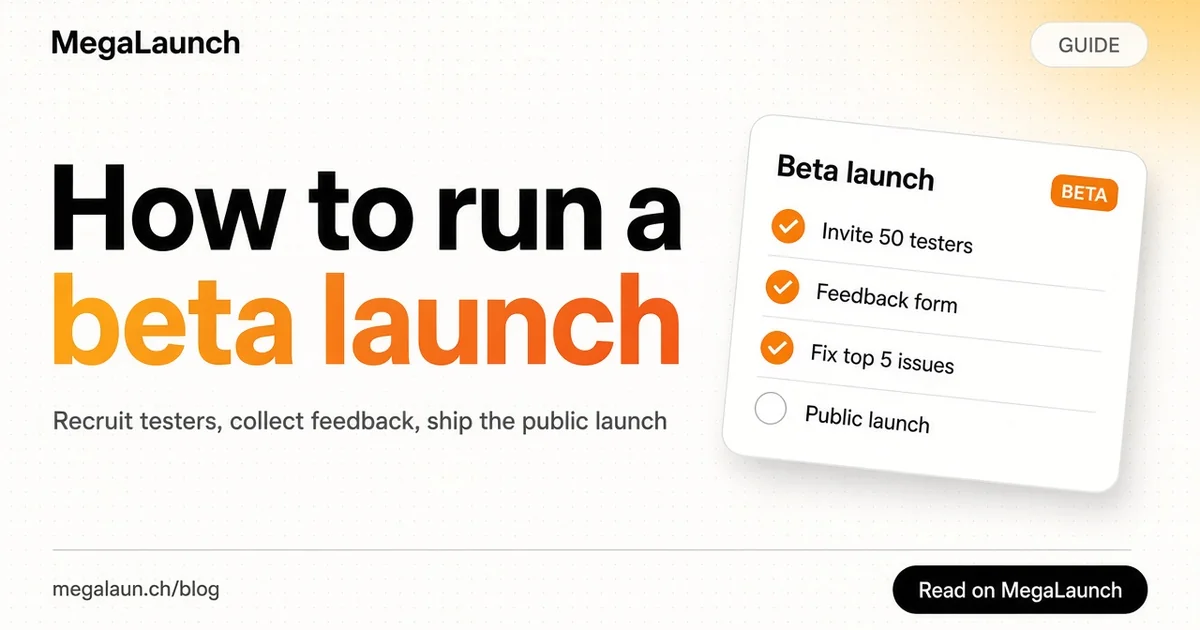
A beta launch is a limited release of your product to real users before the public launch. Done well, it gives you feedback, testimonials and a first group of fans. Done badly, it is a quiet period where nobody uses the product and you learn nothing. This guide covers how to plan a beta launch, find testers, collect useful feedback and decide when you are ready to go public.
In this article11
What a beta launch is
In the software release life cycle, beta comes after internal testing (alpha) and before the general release. The product works, but it is not finished: some features are missing, some flows are rough and you expect bugs.
There are two common types:
- Closed beta: invite-only. You choose who gets access, usually from a waitlist. Best when the product is fragile or you want close contact with each user.
- Open beta: anyone can sign up, but the product is labelled beta. Best when the product is stable enough and you need more volume to test onboarding, performance or pricing.
A beta launch is different from a soft launch. A soft launch is a quiet public release with little promotion; a beta is explicitly unfinished and comes with an agreement that users will give feedback.
Why run a beta first
- Find bugs real users hit. Your own testing follows the paths you designed. Users do not.
- Test the promise. You learn whether people understand what the product does from your landing page and onboarding.
- Collect proof. Quotes, case studies and early numbers make the public launch more convincing.
- Build a first audience. Beta users who felt heard often become the people who comment and share on launch day.
Step 1: set a goal and a time limit
Write one or two questions the beta must answer. Examples: "Do new users complete setup without help?" or "Will at least 10% of active testers pay at the planned price?"
Then set a duration. Four to eight weeks is common for a small SaaS product. Without an end date, betas tend to drift for months.
Step 2: recruit the right testers
Aim for testers who match your target user and have the problem now. Ten engaged testers are worth more than 200 who sign up and never return.
Where to find them:
- Your waitlist and email list.
- Communities where your target users ask about the problem.
- Personal outreach: write to people one by one and explain why you think the product fits them. Paul Graham's essay Do Things That Don't Scale makes the case for this manual approach.
- Beta and early-stage directories such as BetaList, which list products looking for early adopters.
Our guide on how to find beta testers goes deeper into each channel and the messages that work.
For mobile apps
App stores have built-in beta programs. On iOS, Apple's TestFlight lets you invite testers by email or public link. On Android, Google Play Console supports internal, closed and open testing tracks. Use them instead of sending installable files by hand; updates and crash reports become much easier.
Step 3: onboard testers properly
When someone joins, send a short welcome message that says:
- What the product does and what is still missing.
- What you want them to try first.
- How to report problems (one channel only: a form, an email address or a chat group).
- How long the beta lasts and what happens after: for example, a discount or free months for active testers.
Then watch what they do. Product analytics show where people stop. A short call with five testers usually reveals more than a long survey.
Step 4: collect feedback you can act on
Unstructured feedback is hard to use. Make it easy to give specific answers:
- In-app feedback button for bugs, with a screenshot if possible.
- A short survey after the first week with three questions: what did you try to do, what got in the way, what would you miss if the product disappeared?
- One-on-one calls with the most active and the least active testers. Both teach you something.
Keep a single list of issues and ideas, tag each with how many testers mentioned it, and work from the top. Tell testers when you fix something they reported. It is the cheapest way to keep them engaged.
Step 5: control features and risk
During beta you will want to ship fast without breaking things for everyone. Feature toggles let you turn new features on for a few testers first, then for everyone once they work. Keep backups of user data and warn testers before any change that could affect their work.
Step 6: decide when to go public
You are ready to move from beta to public launch when:
- New users complete setup without your help.
- The main bugs reported in the last two weeks are fixed.
- Some testers use the product every week without reminders.
- You have a few quotes or results you can show.
- If you charge, at least some testers have paid or committed to pay.
If most of these are missing at the end of the time limit, extend the beta with a new, specific question rather than launching anyway.
Turn beta users into launch-day support
Your beta testers are your first early adopters. Before the public launch:
- Ask the most engaged testers for a short quote or permission to share their results.
- Tell them the launch date and where you will publish, so they can comment or share if they want to.
- Thank them publicly in the announcement.
- Keep the promise you made at the start, such as a discount or extra months.
Then list the product on launch platforms. MegaLaunch gives each product a public launch page where makers and early adopters can discover it, and a beta-tested product with real quotes makes a much stronger launch page.
Common beta launch mistakes
- Inviting everyone at once. Start small, fix the obvious problems, then widen access.
- No clear question. Without a goal, you collect opinions instead of answers.
- Too long. A beta with no end date delays revenue and the public launch.
- Ignoring silent testers. People who stop using the product without complaining are telling you something; ask them why.
- Adding features instead of fixing flows. Most beta feedback points to confusion, not missing features.
A beta launch is a short, focused experiment. Pick the right testers, ask clear questions, fix what they find and use what you learn to make the public launch count.
Frequently asked questions
What is a beta launch?
A limited release of an unfinished product to real users before the public launch, with the understanding that they will report bugs and give feedback.
Should I run a closed or open beta?
Start closed if the product is fragile or you want close contact with each tester. Move to an open beta when the product is stable and you need more volume to test onboarding, performance or pricing.
How long should a beta launch last?
Four to eight weeks is common for a small SaaS product. Set an end date at the start so the beta does not drift for months.
How many beta testers do I need?
Ten to thirty engaged testers who match your target user are usually enough to find the main problems. Engagement matters more than the number of signups.
Sources
 @matthias_mrc
Put it into practice. Launch your product.
A permanent page, a followed link to your site, and makers who vote for what they like.
- Free with a link back to MegaLaunch
- Premium: $14.99 one-time, no backlink needed
Done for you
We submit your product to 100+ dofollow directories.
From one brief, with a report for every directory. No badge needed on your site.


From$99one-time
See the plans