

GetYouTubeTranscript
Get the timestamped transcript of any YouTube video in about a second
- Web
- Browser extension
- API
- MCP server
- AI
- Pricing: Freemium
- youtube
- transcript
- api
- mcp
Screenshots
About GetYouTubeTranscript
Overview
GetYouTubeTranscript turns any YouTube video, Short or live replay into a clean, readable transcript with timestamps. It reads the caption tracks the video already has, so the transcript usually appears in about a second, whether the video is two minutes or three hours long. Paste a watch link, a youtu.be link or a plain video ID and the full text is ready to copy, search or download.
Key Features
- Timestamped transcripts in about a second, in any caption language the video offers.
- One-click copy, and search inside the transcript to jump to the moment you need.
- Downloads as TXT, SRT, VTT, JSON, Markdown or CSV. SRT and VTT keep the timing, so they work as subtitle files.
- AI summaries, and questions answered about the video, so you can get the key points without watching all of it.
- Channel and playlist views that list every video, so you can pull transcripts in bulk.
- A Chrome, Edge and Firefox extension that shows the transcript next to the YouTube player.
- A REST API for developers and a remote MCP server so Claude, ChatGPT, Cursor and other AI agents can read YouTube videos.
Use Cases
Students and researchers turn lectures, talks and interviews into searchable notes and quotes. Creators and podcasters repurpose videos into blog posts, newsletters and show notes. Marketers review competitor videos and webinars quickly. Journalists pull exact quotes with timestamps. Developers feed YouTube content into their own apps, automations and AI agents through the API, the MCP server, the Python and Node.js SDKs, or no-code tools such as Zapier, Make and n8n.
Getting Started
Open the website, paste a YouTube link and press enter. The transcript appears on the page with timestamps. Create a free account to download files, use the AI features and get an API key. To use it inside YouTube, install the browser extension and open any video. To connect an AI agent, add the MCP server URL to your client.
Pricing and Plans
New accounts get 100 free credits. Paid plans start at $5 a month for 1,000 credits, or $54 a year, and larger plans are available for heavier API use. Credits are shared across the website, the extension, the API and the MCP server, and failed requests are not charged.
Comments 1
Hey everyone! I built GetYouTubeTranscript because copying quotes out of long lectures and interviews was painfully slow. It reads the captions a video already has, so the full transcript with timestamps appears in about a second. You can export it, get an AI summary, use the Chrome extension, or connect AI agents through the API and MCP server. New accounts get 100 free credits. Feedback very welcome!
More AI products


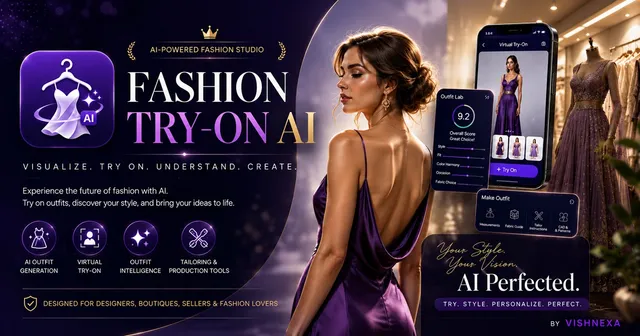

Create AI fashion looks, virtually try them on, and refine your style & Fashion Studio
#3 of the DayPaidAI
Launching a product too? Read how to launch on MegaLaunch, from the free listing to launch day.


