SaaS pricing models: 7 options and how to choose
Seven SaaS pricing models compared with real examples: flat rate, per seat, tiered, usage-based, freemium, free trial and hybrid, plus how to pick a value metric.

Most first-time founders pick a price by looking at two competitors and going a bit lower. The model behind the price matters more: it decides who pays, how revenue grows with each customer, and how easy it is to say yes on the pricing page.
This guide compares seven SaaS pricing models with real examples, then gives you a simple way to choose one for a new product. Prices quoted below were checked on November 11, 2026; companies change them often.
In this article7
The seven SaaS pricing models
1. Flat-rate pricing
One product, one price, everything included. Basecamp is the classic example: its pricing page lists a Pro Unlimited plan at $199 per month, billed annually, with unlimited users.
- Good for: simple products, buyers who hate surprises, teams that grow fast.
- Risk: a five-person team and a 300-person company pay the same, so you leave money on the table with large customers.
2. Per-seat (per-user) pricing
The price is multiplied by the number of users. Linear's pricing shows the pattern: a free plan, then Basic at $10 per user per month and Business at $16 per user per month, billed yearly.
- Good for: collaboration tools, where value grows with each person who joins.
- Risk: customers share logins to save money, and the price punishes the adoption you want.
Slack answers that second risk with its fair billing policy: on paid plans, if someone you already paid for becomes inactive, Slack adds a prorated credit to your account. It is per-seat pricing that only charges for seats people actually use, and it removes a common objection from buyers.
3. Tiered pricing
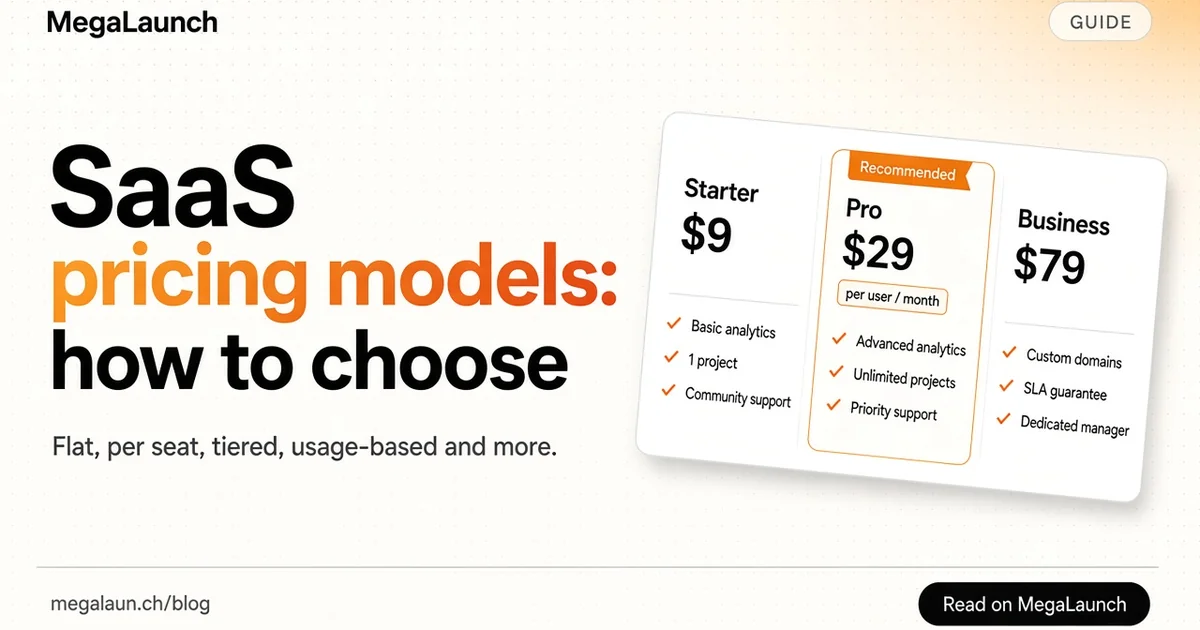
Two to four packages (often Starter, Pro, Business) with different limits or features. This is the default on most SaaS pricing pages because it lets one product serve a solo founder and a company at the same time.
- Good for: products with clearly different customer sizes.
- Risk: too many tiers, or tiers that differ by ten small features nobody can compare.
4. Usage-based pricing
Customers pay for what they consume: API calls, emails sent, minutes of video, gigabytes stored, AI credits.
- Good for: infrastructure, APIs, and AI products where your own costs grow with usage.
- Risk: unpredictable bills scare small customers. Add a free allowance, spending caps and clear alerts.
5. Freemium
A free plan with limits, and paid plans for more. According to Wikipedia's article on freemium, the term was coined in response to a 2006 blog post by venture capitalist Fred Wilson, and freemium services commonly limit the free version by features, capacity or time.
- Good for: products that spread when people use them (shared documents, links, embeds) and products with very low cost per free user.
- Risk: free users cost support and hosting. Most never upgrade, so the free plan must also work as marketing.
6. Free trial
Full product for 7 to 30 days, then pay or leave. A trial without a credit card brings more signups; a trial with a card brings fewer, more serious ones.
- Good for: products that show their value within days.
- Risk: if setup takes two weeks, the trial ends before the customer sees anything.
7. Hybrid pricing
A base subscription plus usage, or tiers plus per-seat add-ons. Many AI products now combine a monthly plan with a credit allowance, and charge for extra credits.
- Good for: products with both a fixed value and a variable cost.
- Risk: complexity. If a visitor cannot estimate their monthly bill in ten seconds, simplify.
Comparison table
| Model | Revenue grows with | Buyer predictability | Best fit |
|---|---|---|---|
| Flat rate | New customers only | Very high | Simple tools |
| Per seat | Team size | High | Collaboration |
| Tiered | Upgrades | High | Mixed customer sizes |
| Usage-based | Consumption | Low | APIs, AI, infrastructure |
| Freemium | Conversion to paid | High | Viral or low-cost products |
| Free trial | Conversion to paid | High | Fast time to value |
| Hybrid | Plan plus usage | Medium | AI and data products |
Pick a value metric first
The value metric is the unit you charge for: users, projects, servers, contacts, credits. Choose the one that grows when your customer gets more value.
Patrick McKenzie's case study Doubling SaaS revenue by changing the pricing model shows why. Server Density, a server monitoring company, charged $11 per server plus $2 per website, with discounts above 10 and 50 servers. That was cheap for brand-new single-server customers, but it undervalued the service for their typical customer with about seven servers. The case study describes their switch to a few simple tiers, and the title says what happened to revenue.
The lesson for indie makers: a pricing model that looks fair line by line can still be too cheap for the customers who get the most value.
How to choose a model for a new SaaS
Answer four questions:
- Does value grow with the number of people using it? Per seat or tiers by team size.
- Do your costs grow with usage? Usage-based or hybrid, with a free allowance.
- Can a new user see the value in one session? Freemium or a short trial. If not, a longer trial or a demo.
- Are your customers very different in size? Tiered, with the middle plan designed for your ideal customer.
If you are still unsure, start with two or three tiers and a free trial. It is easy to understand, easy to change, and you will learn which limits matter from the upgrade requests.
Test the price, not just the model
Once the model is chosen, ask real prospects about price. The Van Westendorp price sensitivity meter uses four questions, including at what price the product would be so expensive you would not consider buying it, and at what price it would be so low that you would doubt the quality. Twenty answers from people in your target market already give you a usable range.
Then raise prices for new customers when your activation and retention are healthy. Early customers can keep their price as a thank you.
Pricing page checklist
- One recommended plan, visually highlighted
- Monthly price shown clearly, with the annual discount next to it
- The value metric in plain words ("per user", "per 1,000 emails")
- What happens at the limit, written on the page
- A short answer to "Can I cancel anytime?"
Pricing is also part of your launch message. If you are preparing to go public, read our SaaS marketing strategy guide and the go-to-market template, and when the page is ready, list your product on MegaLaunch.
Frequently asked questions
What are the main SaaS pricing models?
The common ones are flat-rate, per-seat (per-user), tiered, usage-based, freemium, free trial and hybrid models that combine a subscription with usage or add-ons.
What is the best pricing model for a new SaaS?
For most new products, two or three tiers with a free trial is the easiest start. Switch to per-seat if value grows with team size, or to usage-based if your costs grow with consumption.
What is a value metric in SaaS pricing?
The value metric is the unit you charge for, such as users, projects, contacts or API calls. A good value metric grows when the customer gets more value from the product.
Is freemium better than a free trial?
Freemium works when free users cost little and help spread the product. A free trial works better when the product shows its value within days and you want serious buyers quickly.
Sources
 @matthias_mrc
Put it into practice. Launch your product.
A permanent page, a followed link to your site, and makers who vote for what they like.
- Free with a link back to MegaLaunch
- Premium: $9.99 one-time, no backlink needed
Done for you
We submit your product to 100+ dofollow directories.
From one brief, with a report for every directory. No badge needed on your site.


From$99one-time
See the plans